
Use a 1200 × 1200 square if you are making one LinkedIn Single Image Ad for both desktop and mobile. Create a 4:5 portrait version when you specifically want to test a mobile-only asset. If you are resizing a landscape master, inspect the offer and logo in the export before uploading it. LinkedIn’s Single Image Ads guide
LinkedIn Single Image Ad sizes
| Shape | LinkedIn’s recommended size | Feed eligibility |
|---|---|---|
| Square (1:1) | 1200 × 1200 px | Desktop and mobile |
| Landscape (1.91:1) | 1200 × 628 px | Desktop and mobile |
| Portrait (4:5) | 720 × 900 px | Mobile only |
LinkedIn accepts JPG, PNG and GIF files up to 5 MB. Its Help Center lists a square size range of 360 × 360 to 4320 × 4320 and a vertical range of 360 × 640 to 2430 × 4320. LinkedIn supports taller 1:1.91 images with side borders and recommends 4:5 to avoid those borders. LinkedIn’s image requirements
Check the offer before you export two sizes
This example starts with a 1500 × 900 sample for a downloadable guide. The word FREE sits near the left edge. The walkthrough uses the public AdManage image resizer with an illustrative design. It checks the export composition. Review delivery eligibility in LinkedIn when setting up the ad.
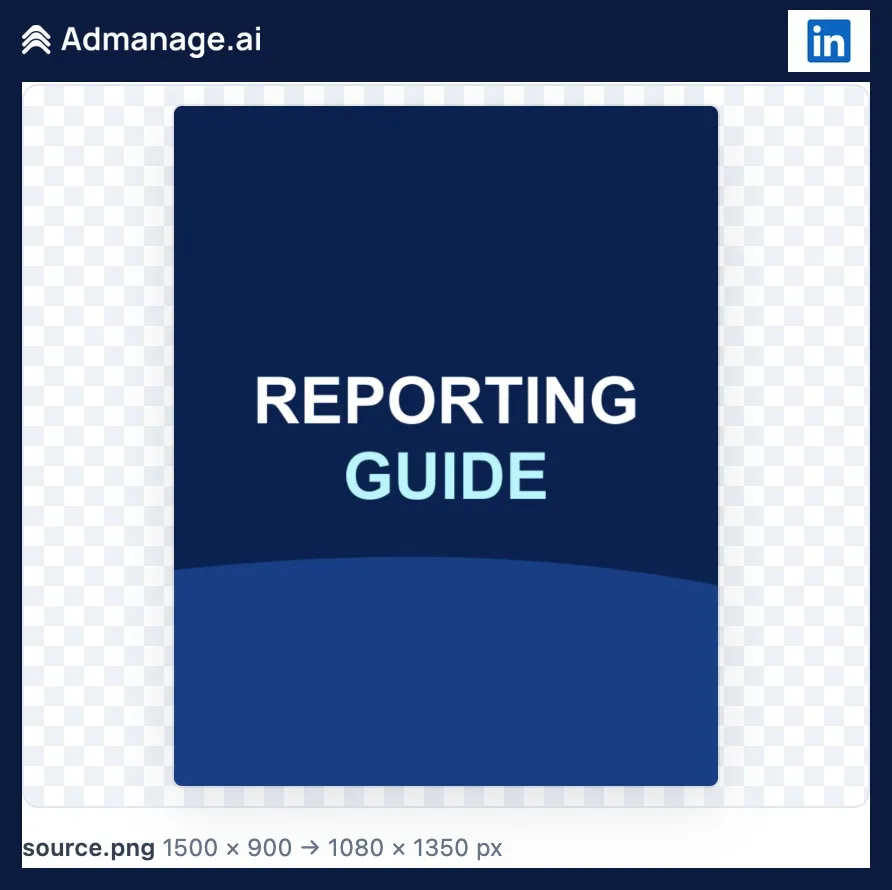
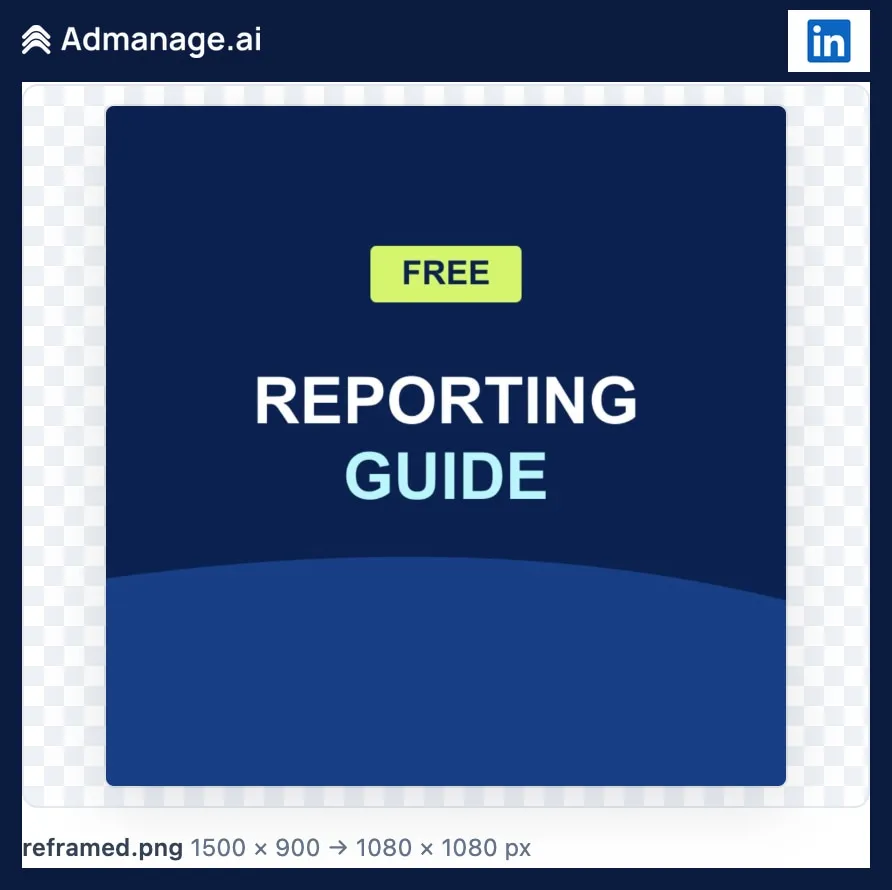
1. Find what the portrait crop loses. Open the landscape master in the resizer, select 4:5, then choose Fill with center crop. In this example, the headline survives but the offer label disappears. The resizer’s preset creates a 1080 × 1350 portrait image, while LinkedIn’s recommended portrait size is 720 × 900. Both are 4:5 and fall within its published vertical dimensions.
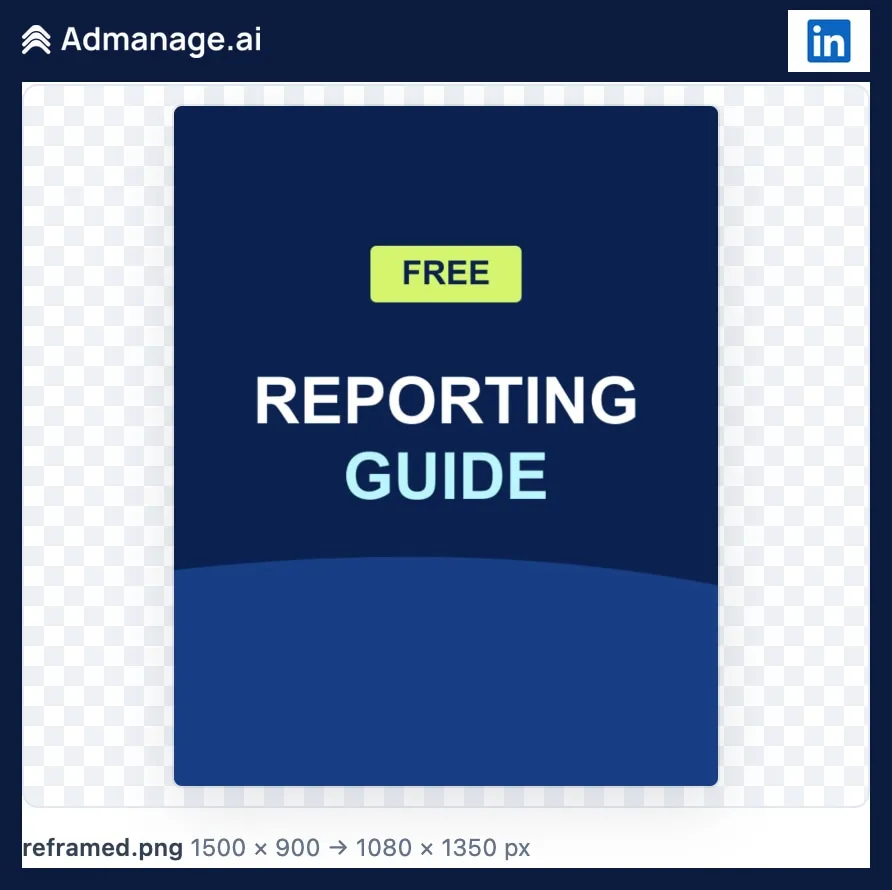
2. Move the offer in the source, then check the portrait again. In your design editor, move the label above the headline and open the revised source in the resizer. Repeat the 4:5 crop. The corrected preview keeps the offer and headline together. Repeat this check for logos, fine print, or product details that must stay legible.
3. Make the square from the revised source. Select 1:1 and inspect the export again. The resizer’s square preset is 1080 × 1080, within LinkedIn’s published square size range. For the recommended 1200 × 1200 delivery size, set that canvas in your design editor and export directly from the source. Before handing either file off, confirm the dimensions, file type, and file size.
Name the files with their placement intent, such as guide-square-feed.jpg and guide-portrait-mobile.jpg. If you compare their performance, use mobile results for both so the square’s desktop traffic does not change the comparison.
Screenshots captured in Chrome on 15 November 2026 using illustrative artwork in the public AdManage image resizer.
For account access, bulk actions and reporting after export, see our LinkedIn ads management software guide.
Cedric Yarish is a Meta ads expert, performance marketer and product builder with 10+ years of experience across Photoroom, Nextdoor and MVF. At Photoroom, he led user acquisition with more than $1 million in monthly ad spend and a creative operation producing 400 ads a month across 30 languages.
Today, he leads product and engineering at AdManage, the platform he co-founded with his brother Raphael to help marketers launch, test and manage ads at scale. Meta has quoted him on its developer blog and invited him to speak on its Partner API Panel in New York. His insights on creative testing and advertising automation have also featured in RevenueCat and In Growth We Trust.
Full founder bio & interviews