Use AI to retrieve two complete weeks of Facebook Ads data, explain the campaign changes and draft the team update. Before you act, check its math: in the worked example below, account purchase CPA rises 27% even though neither campaign's CPA gets worse.
A Facebook Ads MCP connection lets you ask a compatible AI assistant to retrieve account data, compare reporting periods and prepare a review you can check. With AdManage MCP, you can follow the numbers from campaign totals down to the ads behind them.
Follow these five prompts for a read-only review. The original example uses fictional data with independently checked calculations; the screenshots show AdManage’s public setup and tool guides, not a recorded review of a live customer account.
What does Facebook Ads MCP mean?
Model Context Protocol (MCP) standardizes how AI applications discover and call tools from connected services. In this workflow, AdManage provides the advertising reports using the accounts you have connected and are permitted to access. This is an AdManage connector workflow; Meta’s own server is a separate option covered in our Meta MCP setup guide.
Facebook Ads MCP and Meta Ads MCP are overlapping search terms. Facebook advertising runs within Meta's broader advertising platform. An account-level Meta report may include Instagram and other placements, so specify Facebook when that distinction matters and request a supported breakdown.
Set up AdManage for a read-only review
Connect your Meta ad account in AdManage, then follow the MCP setup guide
for your assistant. Authorize the connector with read-only access and check its access mode in
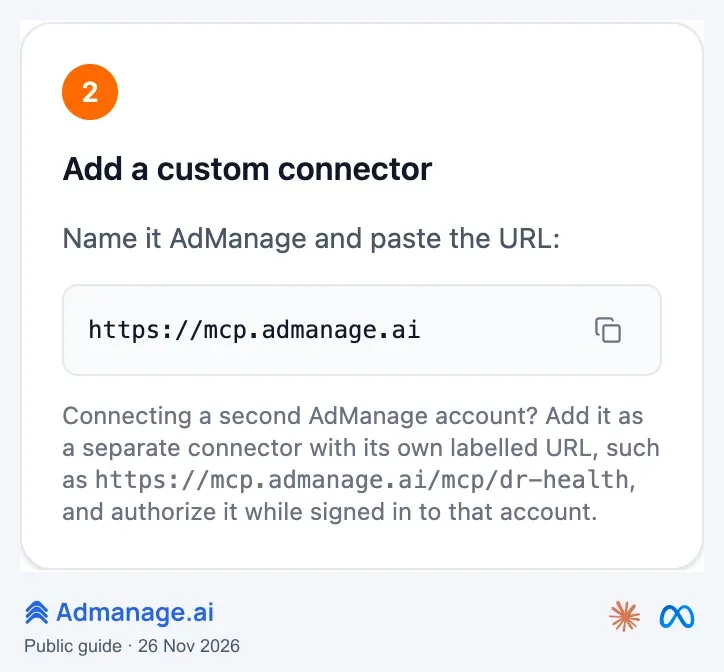
AdManage public Claude connector instructions showing the custom connector URL, captured 26 November 2026.
Public Claude setup guide, captured in Chrome on 26 November 2026. This is the guide’s connector card, not a screenshot of Claude settings.
AdManage public read-only access explanation, captured 26 November 2026.
The public access model explains what read-only access permits. Confirm your actual connection’s mode in MCP Access before requesting account data.
Begin each client review with account discovery:
Show the active AdManage organization and workspace. List the Meta ad accounts I can access, including names and IDs. Do not change anything.
Use the returned account ID in later prompts. If you work across clients, confirm the organization and workspace before requesting any performance data.
Step 1: Establish the weekly scorecard
Ask for two complete, comparable periods:
For Meta ad account ACCOUNT_ID, compare November 16–22, 2026 with November 9–15, 2026. First call get_report_fields to check the supported metrics. For an ecommerce purchase review, return spend, purchases and purchaseCostPer, plus impressions, clicks, CTR and CPM where available. State currency, reporting timezone, conversion definition, attribution fields and freshness warnings. Calculate aggregate ratios from totals; keep zero-purchase CPA undefined. Do not make changes.
Choose the outcome that fits the account. We checked AdManage’s live get_report_fields response on 26 November 2026: purchaseCostPer is spend divided by purchases; the generic cpa field is an objective-aware conversion-result alias. They are not interchangeable. Use a defined lead outcome for lead generation, and ask for the available fields instead of treating every conversion as a purchase.
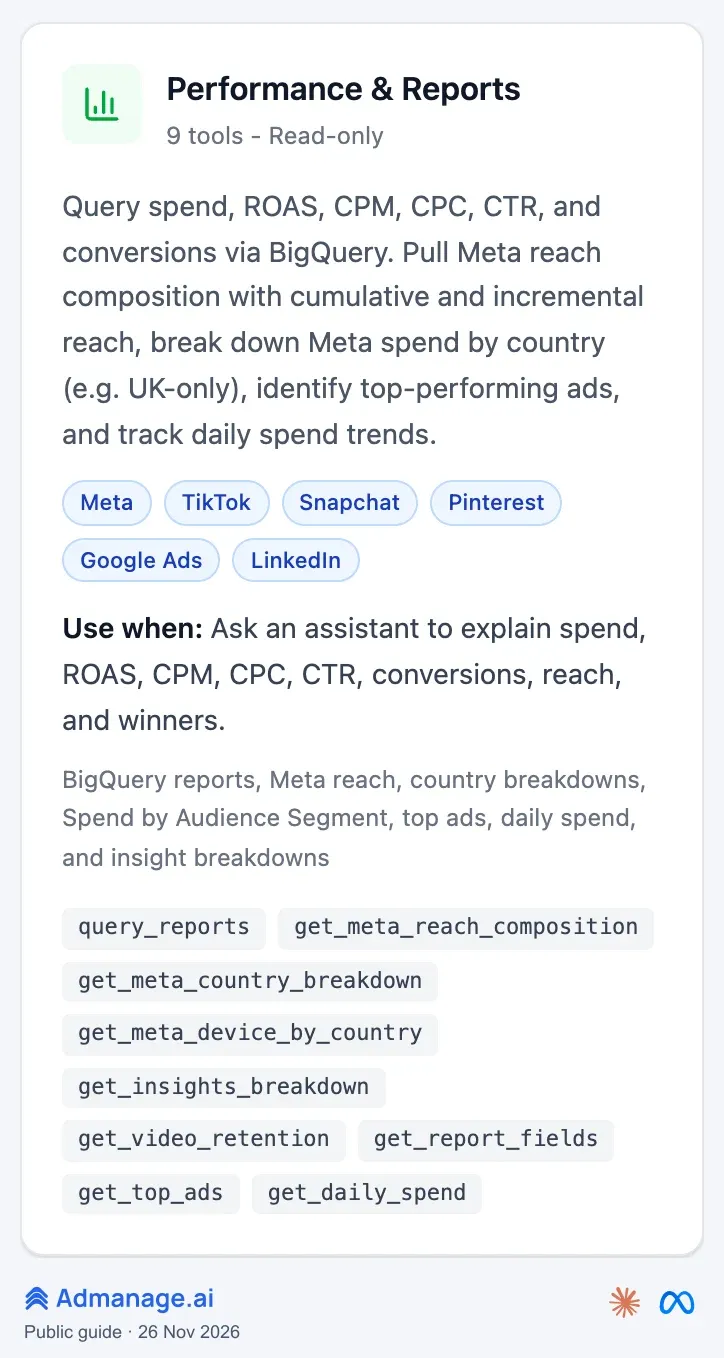
AdManage public Performance and Reports tool catalog showing get_report_fields and query_reports, captured 26 November 2026.
The public reporting tool catalog lists field discovery and reporting tools. Check returned field definitions before interpreting CPA.
This first report establishes what changed overall. It should also expose reporting gaps before the assistant starts explaining them.
Step 2: Find the campaigns behind the change
Break the same periods down by campaign using the supported campaign grouping. Include names, stable IDs, spend, purchases, purchase CPA and share of account spend. Rank the contributions to the change. Keep purchase definitions and dates identical. Distinguish changes in delivery mix from changes in conversion efficiency.
A blended CPA can rise because an existing campaign became less efficient, because more spend moved to a different campaign, or both. Ask the assistant to show the calculation behind its explanation.
For campaigns with unusual results, continue down to ad set and ad level using their returned IDs. Keep the dates and conversion definition consistent as you investigate.
Worked example: CPA rises while both campaigns stay steady
This fictional GBP dataset holds the purchase definition, attribution window and reporting timezone constant. It isolates a reporting trap; it is not customer performance or a budget recommendation.
Campaign
9–15 Nov spend
Purchases
16–22 Nov spend
Purchases
Prospecting (camp_A)
£600
30
£900
45
Retargeting (camp_B)
£400
40
£100
10
Account total
£1,000
70
£1,000
55
Copy this AI analysis prompt
You can run this exercise without connecting an ad account. For the actual account review, replace the fixture with the supported reports retrieved through MCP. Keep private account data inside your approved workspace.
Analyse this fictional weekly Facebook Ads report. Do not browse, use connectors or change anything. Currency GBP; all rows use the same purchase definition, attribution window and timezone.
9–15 Nov 2026: camp_A (Prospecting), spend £600, purchases 30; camp_B (Retargeting), spend £400, purchases 40.
16–22 Nov 2026: camp_A (Prospecting), spend £900, purchases 45; camp_B (Retargeting), spend £100, purchases 10.
Reconcile spend and purchases by week. Calculate account purchase CPA from totals, not the average of campaign CPAs. Show each campaign’s CPA and share of spend in both weeks.
Explain whether these rows show within-campaign deterioration or a change in spend mix. Apply each campaign’s first-week purchase-per-pound rate to second-week spend, then compare expected with observed purchases. Label this a diagnostic, not a causal forecast.
Give two follow-up questions before a budget decision. Do not recommend restoring a split without evidence of capacity, overlap and conversion maturity. Return a concise table and explanation under 300 words. State missing data. No predicted ROAS, performance guarantee or account changes.
Check the answer against these calculations
Check
9–15 Nov
16–22 Nov
Account purchase CPA: total spend ÷ total purchases
£14.29
£18.18
Prospecting purchase CPA
£20.00
£20.00
Retargeting purchase CPA
£10.00
£10.00
Prospecting share of spend
60%
90%
Retargeting share of spend
40%
10%
Account purchase CPA rises 27.3%, calculated from the unrounded ratios: (1,000 ÷ 55) ÷ (1,000 ÷ 70) − 1. Averaging the two campaign CPAs gives £15 in each week, which is neither week’s account CPA.
For a second check, apply each campaign’s first-week purchase-per-pound rate to its second-week spend: Prospecting gives £900 × (30 ÷ £600) = 45 purchases; Retargeting gives £100 × (40 ÷ £400) = 10. Together that is 55, exactly the observed total in this fixture.
The rows show unchanged campaign CPAs and more spend allocated to the higher-CPA campaign. They do not show deterioration within either campaign. This arithmetic is consistent with a mix change; it does not prove that moving spend back would restore 70 purchases. Audience capacity, overlap and conversion maturity are missing. There is no revenue field, so a ROAS conclusion would be invented.
These are independently calculated expected results, not a transcript of an AI response. Check the assistant’s answer against them. If it recommends cutting Prospecting purely because the account CPA rose, ask it to separate campaign efficiency from spend mix.
Turn the explanation into a review checklist
Reconcile campaign spend and purchases to the account totals. Investigate missing or duplicated rows before interpreting the change.
Check the conversion definition, currency, timezone and attribution window in both periods.
Keep CPA undefined when the purchase count is zero; do not turn it into £0.
Ask whether retargeting could absorb extra spend at similar marginal efficiency and whether audience overlap could change the result.
Check whether recent purchases are still arriving before comparing conversion efficiency.
Record the proposed next check, owner and evidence needed. Leave budgets unchanged until a person approves a specific action.
Step 3: Check Facebook placement performance
Use the Meta insights breakdown tool to compare supported publisher-platform or placement performance for these campaigns over the same dates. Identify the Facebook rows separately from Instagram and other placements. If the requested dimension is unavailable, say so and show the supported alternative.
This step matters when someone asks, “How are our Facebook ads doing?” A blended Meta account total may answer a broader question than they intended.
It can also reveal whether a change in delivery mix deserves investigation. Treat that as an observation to explore, rather than proof that a placement caused the change.
Step 4: Build an investigation list
Find ads with higher purchase CPA or lower purchase ROAS in the second period, where those metrics are available. Show spend, purchase counts and the size of the change. Flag low-volume rows. Give me a shortlist to investigate and explain what additional evidence each recommendation needs. Do not pause or edit anything.
Agree on a meaningful volume threshold for your account before making decisions. A high CPA on one conversion carries different evidence from the same CPA across a larger sample.
For video ads on the shortlist, you can request available retention curves through AdManage. For a deeper creative review, compare the ad's media and performance before deciding what to replace.
Step 5: Write the client or team update
Once the underlying reports are checked, ask for a concise summary:
Write a weekly update using only the retrieved results. Include the reporting period, spend and primary outcome, the three largest changes, open questions and three proposed next actions. Include campaign or ad IDs where useful. Mark hypotheses clearly and do not invent explanations for missing data.
You now have a review grounded in the same reports you inspected. It can become an internal handoff or a draft client update after you check the figures and recommendations.
Move from reporting to action deliberately
AdManage also exposes advertising management and launch workflows, subject to connector permissions and available tools. When you are ready to act, specify the account, entity IDs, exact edits, budget limits and intended status.
A useful handoff prompt is:
Prepare an action plan for the changes we discussed. Show the exact IDs and proposed before-and-after settings. Do not execute anything until I approve the plan.
Keep read-only access for recurring analysis. Enable write access only when you intend to use management tools; asking for an action in a chat does not replace the connector's access controls.
Frequently asked questions
Can I run this review without downloading CSVs?
The assistant can request supported reports through AdManage's MCP tools. You still need the relevant connected account, permissions and reporting data.
Will this review run automatically every Monday?
These prompts run when you use them. A recurring review requires a separately configured schedule or automation. Connecting MCP alone does not create one.
Can agencies review several client accounts?
AdManage supports organization and workspace selection for authorized memberships. Confirm the active context and account IDs for each review, and keep currencies separate unless you explicitly apply a conversion method.
Make your next Facebook Ads review a conversation
Start with one account, two complete weeks and a read-only connection. Retrieve the scorecard, inspect the campaigns behind the change, and finish with actions your team can assess.
On 26 November 2026, we called AdManage’s live reporting-field tool, captured the public connector, access and reporting guides in Chrome, and independently recomputed the fictional example in JavaScript. No customer report was used and no ad account was changed. The prompts are a reusable review template; we have not recorded a complete live-account Claude session for this article.
Cedric Yarish is a Meta ads expert, performance marketer and product builder with 10+ years of experience across Photoroom, Nextdoor and MVF. At Photoroom, he led user acquisition with more than $1 million in monthly ad spend and a creative operation producing 400 ads a month across 30 languages.
Today, he leads product and engineering at AdManage, the platform he co-founded with his brother Raphael to help marketers launch, test and manage ads at scale. Meta has quoted him on its developer blog and invited him to speak on its Partner API Panel in New York. His insights on creative testing and advertising automation have also featured in RevenueCat and In Growth We Trust.