
YouTube Shorts safe zone checker
Preview YouTube Shorts safe zones on your vertical video and download a free 1080×1920 design guide.
1 coveredWeeks 2, 3, 5 and 6 sit under the caption and the Learn more button, and the headline brushes the top zone. Tap Shorts UI to see it the way viewers do.
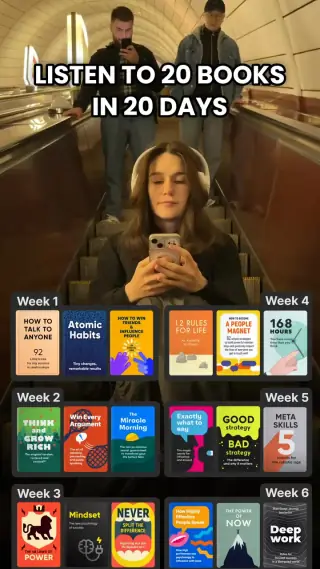
Drag an image or video onto the preview to check it.
- Top 15%
- 288px
- L 6% · R 12%
- 65 / 130px
- Bottom 22%
- 422px
JPG, PNG, WebP, GIF, MP4, MOV or WebM · Up to 50 MB · Stays on your device.
Transparent 1080 × 1920 guides: PNG for Canva and CapCut, SVG for Figma. Your creative is not included.
Before you export
- Keep text clear of the top 15%, where the Shorts title bar and top controls appear.
- Keep faces, captions and badges out of the right 12% action column (like, dislike, comment, share).
- Place your main offer above the bottom 22% (32% for paid Shorts ads with a CTA card).
- Export at 1080 × 1920 (9:16) with full-bleed background to avoid letterboxing.
9:16 canvas · 15% top · 6% left · 12% right · 22% bottomLeaves 288 px top, 65 px left, 130 px right and 422 px bottom clear for organic Shorts. Toggle paid Shorts ad mode for 32% (614 px) bottom CTA clearance.
Safe-zone sizes & how to use the guide
What is the YouTube Shorts safe zone?
YouTube Shorts places navigation icons across the top 15% (288 px), interaction buttons (like, dislike, comment, share and remix) along the right 12% (130 px), and the channel handle, title and subscribe button across the bottom 22% (422 px) of a 1080×1920 frame. Keeping text and logos inside the central safe box prevents UI overlap across phones.
Paid YouTube Shorts ads need extra bottom margin
When you run vertical video through Google Ads Demand Gen, Performance Max or Video Action campaigns, YouTube adds a Sponsored label and an interactive CTA banner above the bottom bar. Switch on the paid Shorts ad toggle to guard the bottom 32% (614 px) so product offers and subtitles stay readable.
How to prepare one creative for Shorts, Reels and TikTok
Drop your vertical clip onto the preview to spot clipped captions, then download the transparent 1080×1920 PNG or SVG overlay for your editor. If you repurpose the same cut across YouTube Shorts, TikTok and Instagram Reels, keep text clear of both the wider right rail (14%) and the deeper Reels bottom zone (35%).
Definition and guidance: Google Ads Help: vertical video best practices for YouTube Shorts.
Related guides
Common questions
What are the YouTube Shorts safe zone dimensions in pixels?
On a 1080×1920 (9:16) canvas, leave 288 px at the top (15%), 65 px on the left (6%), 130 px on the right (12%) and 422 px at the bottom (22%), or 614 px (32%) for paid Shorts ads with a CTA card.
Does this safe zone apply to Google Ads Demand Gen Shorts placements?
Yes. Toggle the paid Shorts ad switch to account for the extra Sponsored chip and CTA button banner shown on Demand Gen and Performance Max Shorts inventory.
Does this tool upload my video?
No. Your creative is checked locally in your browser and never sent to any external server.
What resolution should I export YouTube Shorts ads in?
Export vertical Shorts creatives at 1080×1920 px (9:16 aspect ratio) in MP4 or MOV so YouTube fills the mobile screen without black bars.
Use AdManage to organise creative and launch your next ad batch.