

The useful Smartly alternative depends on the job you want to replace. For bulk launching and cross-channel ad operations, shortlist AdManage or Kitchn. For rules and performance automation, look at Birch. For a Meta-focused optimization and creative workflow, evaluate Madgicx. For Facebook and Instagram campaign creation with a lower advertised entry price, compare AdEspresso's actual spend and collaboration limits.
That is a better starting point than buying the tool with the longest feature list. A two-person team launching new creatives each week has a different problem from a brand producing thousands of feed-driven catalog variations.
Disclosure: We build AdManage. This is a vendor-written buying guide based on official product and pricing pages checked on 5 November 2026, not an independent speed or performance benchmark. The screenshots illustrate products; they do not establish feature parity. Prices stay in each vendor's currency and can change with billing term, spend, accounts and add-ons.
Cover image: Smartly's official website, retrieved 5 November 2026. Vendor-published product imagery.
The shortlist
| Tool | Shortlist it for | Pricing detail to check |
|---|---|---|
| AdManage | Bulk launching across channels, naming and creative imports | Essential starts at £199.99/month for one ad account and two members |
| Birch, formerly Revealbot | Automated rules and recurring ad operations | At the displayed $10K spend setting, Essential shows $49/month and Pro $99/month; features differ |
| Madgicx | A Meta-focused optimization, analytics and creative workflow | Configure monthly ad spend and the billing term on its pricing page |
| AdEspresso | Facebook and Instagram campaign creation and collaboration | Starter is $49/month with a $1,000 monthly spend limit; Plus is $99/month |
| Kitchn | Team launch operations with templates and cloud assets | Launch Team displays €499/month, five accounts and 900 monthly ad uploads |
These plans do not buy the same thing. A spend-limited campaign tool, an upload allowance and a flat launch subscription need different cost calculations. Follow the source links in each section before choosing.
First, decide which part of Smartly you need
Smartly brings creative production, campaign management and intelligence into one platform. Its public site describes creative and media workflows together, rather than a simple upload utility. If those broader capabilities are central to your operation, a smaller launcher will not automatically replace them. Source: Smartly.
Product image from Smartly's official website, retrieved 5 November 2026. Shown as published by the vendor.
Write down the task that currently takes too much time. Be specific: uploading 80 videos, applying naming conventions, building variations, monitoring budgets, preparing reports or producing catalog creative. Then separate that task from the features you rarely use.
For example, if your designers already deliver finished videos and images, a creative-production suite might not be the missing piece. If your main workload is changing a product feed across thousands of SKUs, fast manual batch launching is only a small part of the solution.
1. AdManage: for bulk launching across channels
AdManage suits teams that already have creatives and want a repeatable way to get them into ad accounts. Import assets from sources such as Google Drive, Dropbox or Frame.io, apply copy and naming settings, review the batch and launch across supported channels.
The public Essential offer starts at £199.99/month, with one ad account, two team members and unlimited ad launches. Account allowances and other entitlements vary by plan. It is a flat platform fee rather than a percentage of advertising spend. Current pricing.
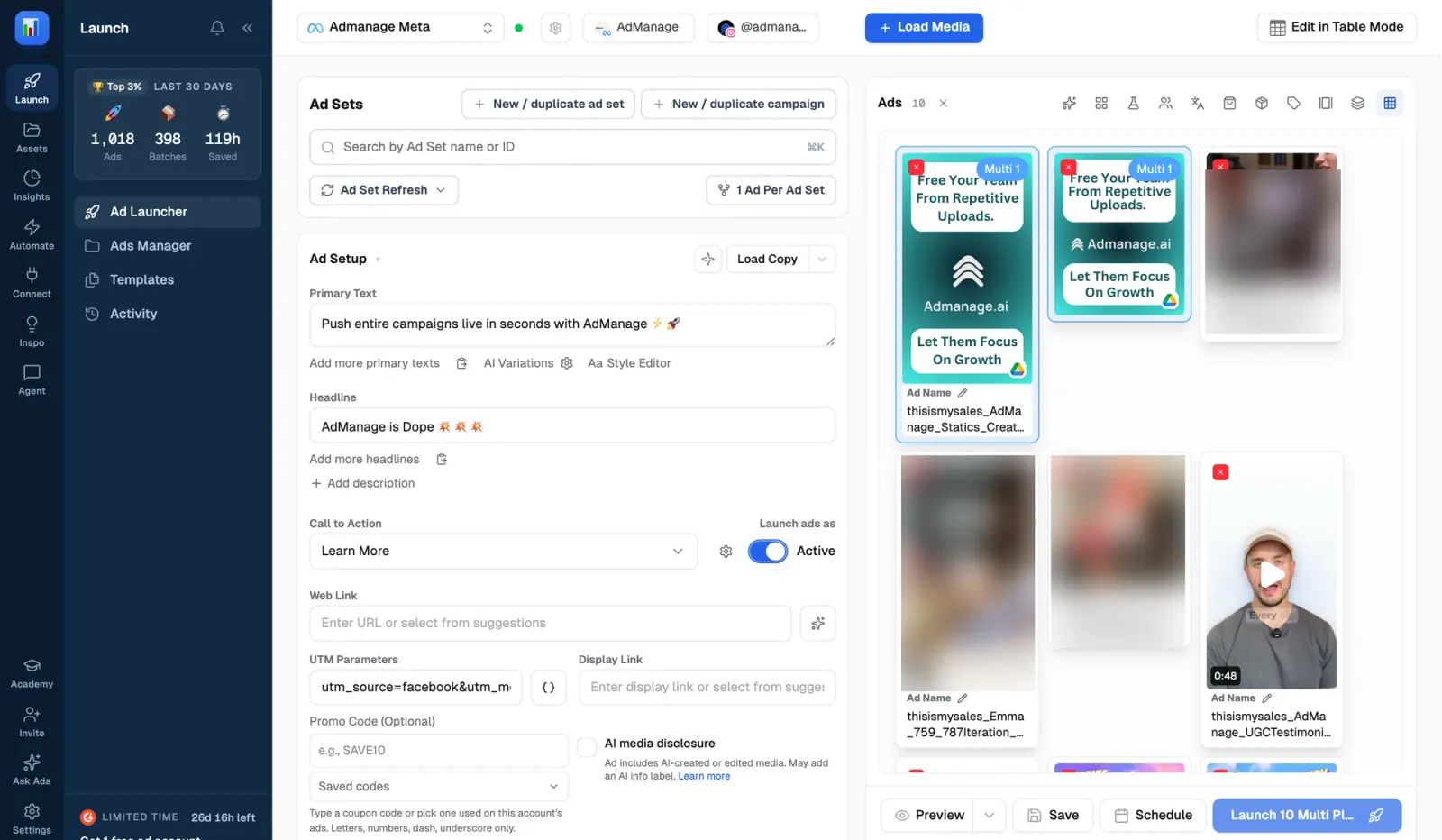
Best fit: A small media-buying team whose bottleneck is getting finished creative live consistently. Check first: Your required formats, connected accounts and placement settings. Do not assume a launch platform replaces every feed-driven creative or measurement capability in Smartly.
For the detailed product comparison, use AdManage vs Smartly. If you want AI-assisted operations, the Meta MCP guide explains the connector and access modes.
2. Birch: for automated rules and ongoing operations
Birch, formerly Revealbot, is a sensible shortlist when the work continues after publishing: rules, alerts and repeatable account operations. Its current pricing distinguishes Essential from Pro; Pro lists automated rules, Explorer, Launcher and a free version of Stage.
At the pricing page's displayed $10K monthly spend setting, the monthly figures are $49 for Essential and $99 for Pro. The price scales with connected ad spend. Birch's billing documentation also separates its main plan, Hub and Stage subscriptions. Pricing and billing explanation.
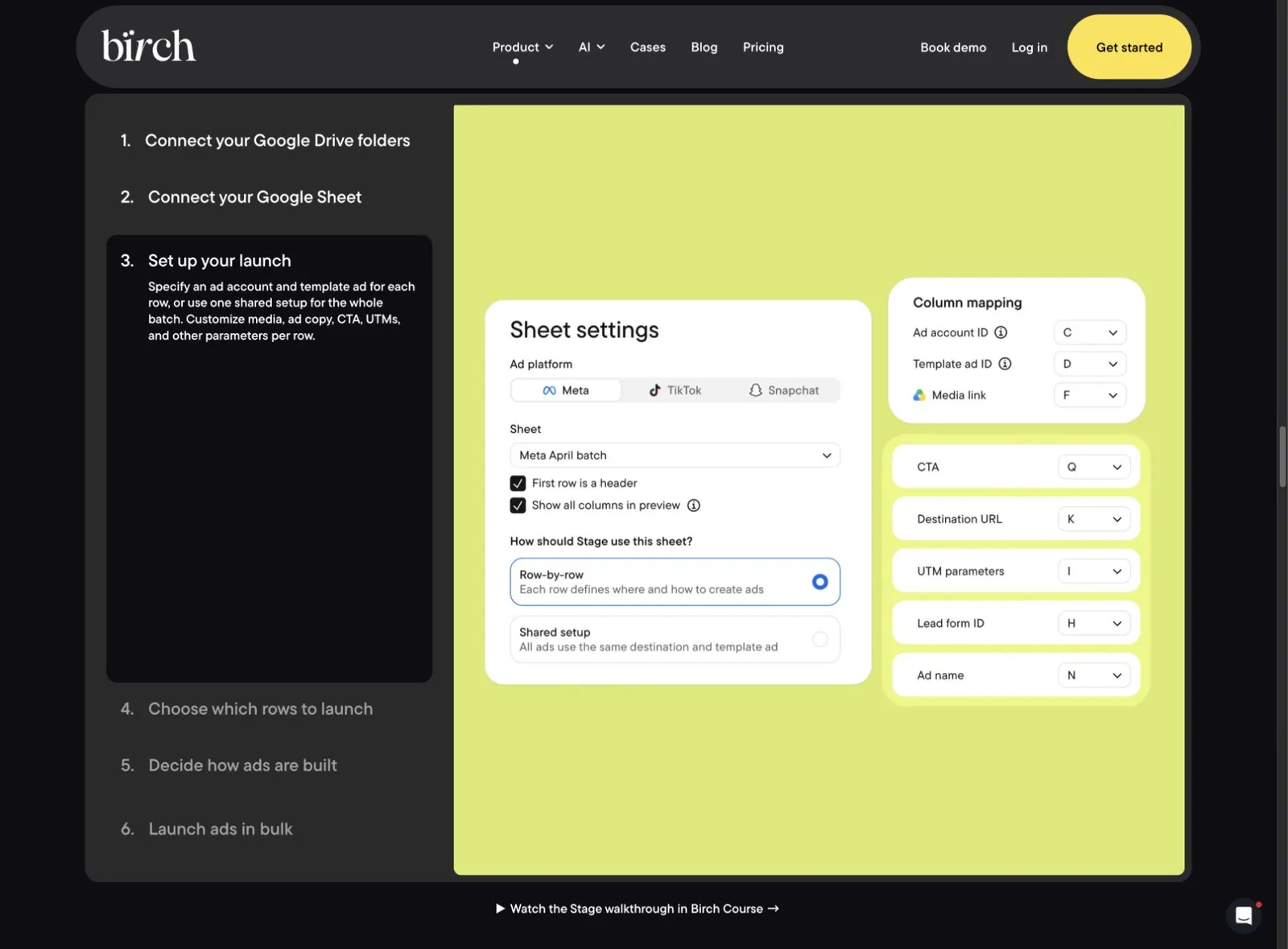
Best fit: A buyer who wants rules and performance workflows alongside launches. Check first: Which subscription contains the tool you need, the relevant spend band and whether Stage's included allowance covers your volume. Do not compare the cheapest headline plan with a competitor's broader bundle.
3. Madgicx: for a Meta-focused optimization and creative workflow
Madgicx groups optimization, analytics and AI ad creation into its product workflow. It is worth evaluating if you want to work on Meta performance and creative decisions inside one system, rather than primarily transporting finished assets into campaigns.
Its current pricing page asks for monthly advertising spend and offers different billing terms. We are not quoting a universal starting price because the public configuration matters. Use the plan your spend and required capabilities actually select. Product and pricing.
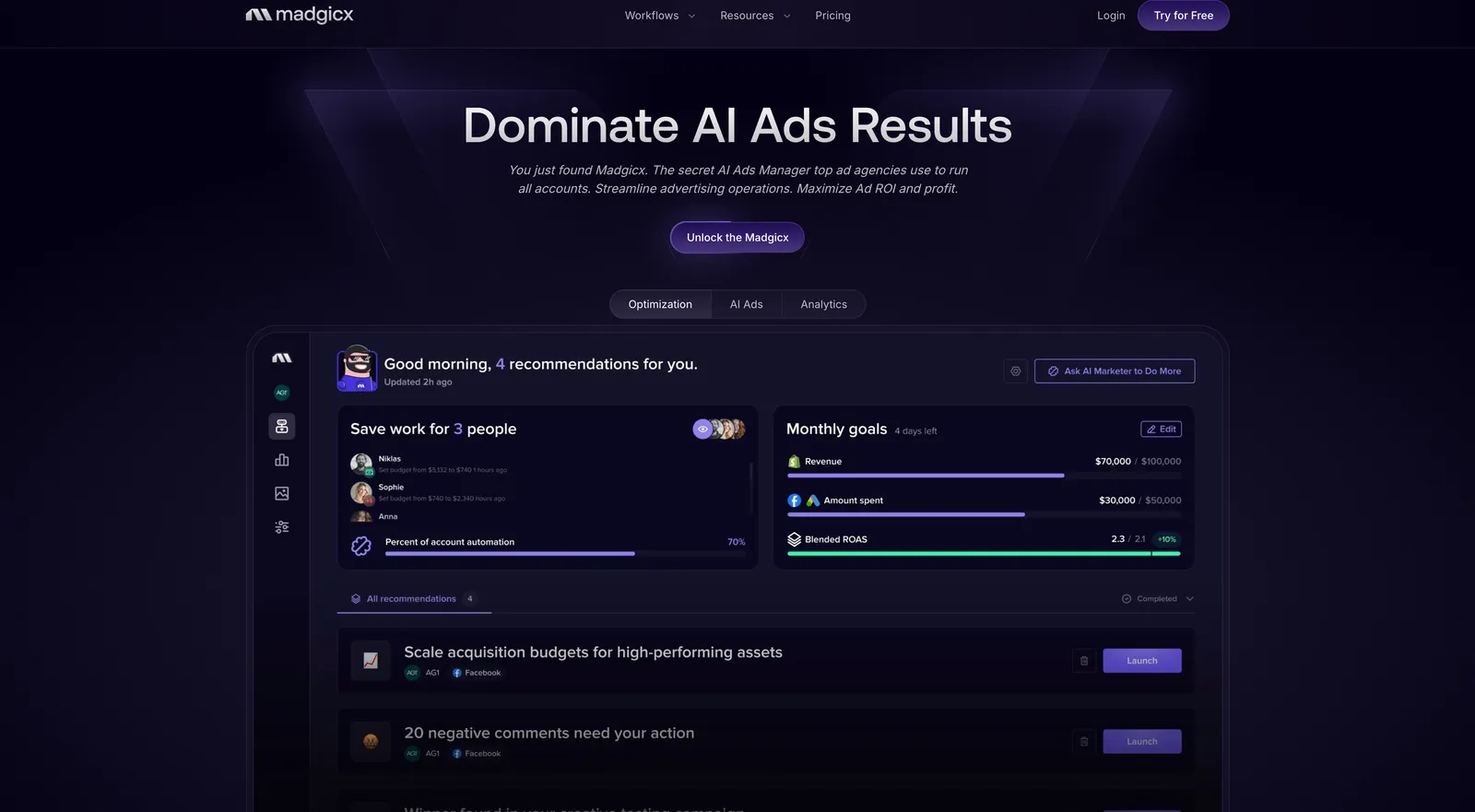
Best fit: A Meta-focused team evaluating optimization, creative and reporting together. Check first: The proposed changes, approval workflow, connected-account coverage and whether the features you want are included in your quote. An AI recommendation is not evidence of a guaranteed return.
4. AdEspresso: for Facebook and Instagram campaign creation
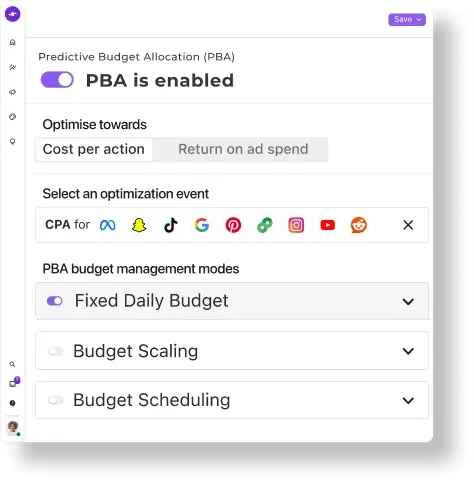
AdEspresso offers Facebook and Instagram campaign creation, management and collaboration. Its published $49/month Starter plan has a $1,000 monthly ad-spend limit. The $99/month Plus plan lists unlimited managed spend, campaign approval, multi-page bulk creation and up to 15 seats.
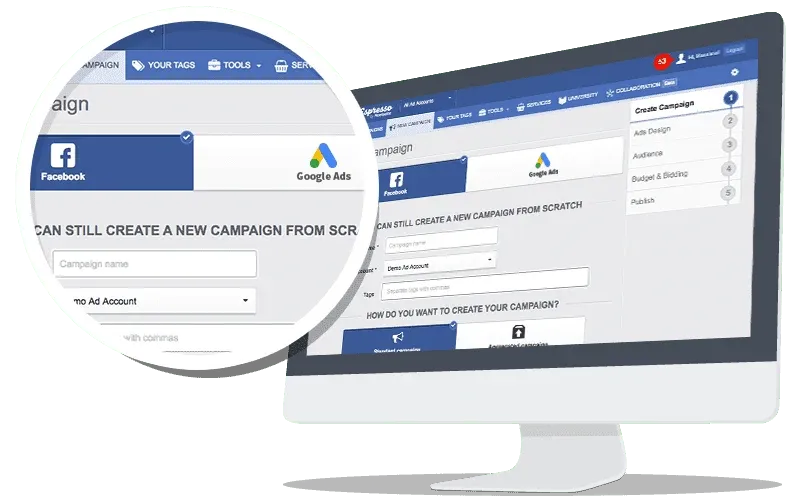
Product image from AdEspresso's official website, retrieved 5 November 2026. Shown as published by the vendor.
That distinction changes the comparison for a working ad team: the entry price may not be the price for your spend or approval requirements. Official plans.
Best fit: A team looking for a Facebook/Instagram-oriented campaign workflow. Check first: Your actual spend, approval needs and required formats. Validate each launch setting against a real account rather than assuming every Meta feature is available through every third-party tool.
5. Kitchn: for structured team launching
Kitchn's Launch Team plan lists €499/month, five ad accounts, unlimited seats and 900 ad uploads per month. The page includes cloud imports from Google Drive, Dropbox and Frame.io, plus reusable ad templates. Higher tiers and additional uploads change the allowance and cost. Official pricing.
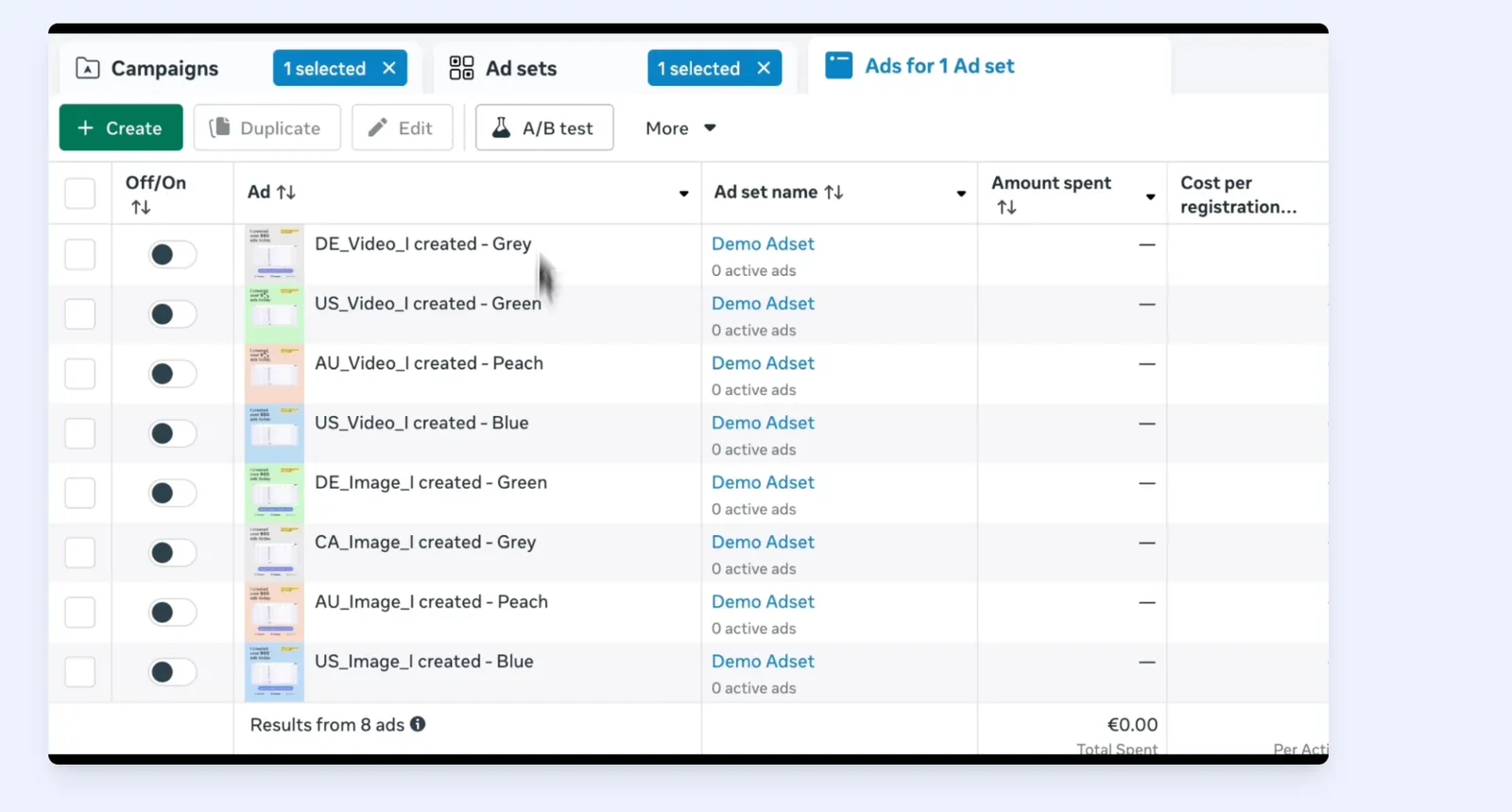
Best fit: A team that needs repeatable launch operations and shared templates. Check first: What counts as an upload, how your creative variants consume the allowance, and which integrations or automation features require a higher tier. Unlimited seats and unlimited creative uploads are separate promises.
Run one real comparison before switching
Use a normal creative batch rather than a perfectly prepared demo folder. Include a mix of images and videos, your actual naming convention, more than one aspect ratio and an existing post if that is part of your workflow.
- Prepare the same source assets. Use the same copy, destinations, ad sets and tracking parameters for each tool. Exclude time spent fixing differences you introduced yourself.
- Record hands-on setup time. Separate your active work from upload, processing and platform review time. A single fast upload is not the entire launch process.
- Launch the test paused. Check the resulting ads in Ads Manager before enabling delivery. Review the selected Page, Instagram account, destination, placements, creative variants and tracking settings.
- Count corrections. Record missing settings, duplicate ads, naming repairs and manual follow-up. A tool that saves upload time but creates repair work has not necessarily saved the team time overall.
- Test the handoff. Have another teammate find the batch, understand its status and continue the workflow without a private explanation from the original buyer.
Use a simple worksheet with five columns: task, active minutes, waiting minutes, corrections and blocker. The purpose is a decision you can defend from your own workflow, not a universal leaderboard.
Compare the bill at your actual workload
Start with the number of ad accounts, team members, monthly creative uploads and channels. Then add the features you would otherwise buy separately: rules, reporting, creative production, attribution or research.
Keep annual commitments separate from monthly cancellation. Keep currencies separate unless you explicitly state an exchange rate and date. And avoid assuming that a lower entry price is cheaper once your spend band, seats or upload volume are included.
If the issue is specifically Smartly's commercial terms, our Smartly pricing guide covers the questions to ask. A signed order form is a better source for your renewal and cancellation obligations than a competitor's estimate.
Frequently asked questions
What is a good Smartly alternative for a small ad team?
Choose around your main job. AdManage and Kitchn are worth comparing for bulk launching; Birch for rules and repeatable operations; Madgicx for a Meta-focused optimization and creative workflow; and AdEspresso for Facebook and Instagram campaign creation. Test the relevant plan with your own account and creative batch.
Is a bulk launcher a full Smartly replacement?
Only if launching is the part you need to replace. Confirm feed-driven creative production, catalog workflows, measurement, channels and approval requirements separately. Moving an upload task does not mean you have replaced the entire operating system.
Do I need to move every campaign at once?
No. Start with a paused test batch, check it in the underlying ad platform and expand only after the output and workflow are correct. Keep access to historical reports and check your existing contract before removing tools or connections.
Which option is cheapest?
There is no single answer without a workload. The comparison changes with accounts, seats, spend bands, upload allowances and the features you need. Price the plans that cover those requirements, not just the first number on a pricing page.

About the author
Cedric Yarish
Co-founder of AdManage.ai