


To export TikTok ads to Excel, open Custom reports under the Analytics menu in TikTok Ads Manager, build a report with the dimensions and metrics you need, set the date range, and click Export. You can also set the report to arrive by email on a schedule. TikTok's custom report guide covers both options.
If you need the data in Tableau, PostgreSQL or Redshift, the same file works as your starting point. For anything recurring or very large, use the TikTok reporting API or a data connector instead. This guide covers each route and the limits that catch people out.
Which TikTok export method should you use?
TikTok gives you four routes, and third-party connectors add a fifth. The right one depends on how often you need the data and how many ads are in the account.
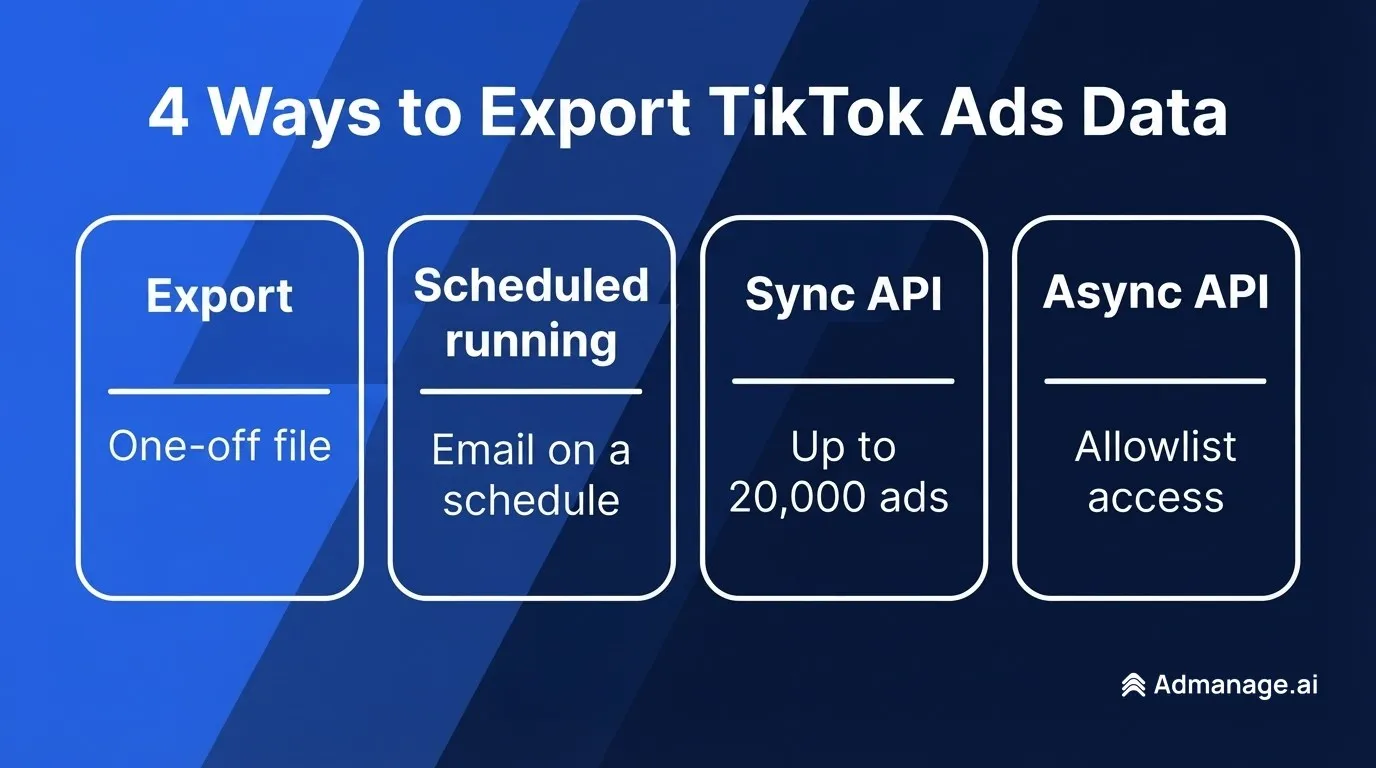
| Method | Best for | Output | Main limit |
|---|---|---|---|
| Ads Manager Export | One-off analysis in Excel | Downloaded file | Manual each time |
| Scheduled running | Recurring reports for a small team | File delivered by email | Up to 5 recipients, who need Ads Manager access to download |
| Synchronous API | Scripts, apps and small pipelines | JSON response | Up to 20,000 ads per report |
| Asynchronous API | Large accounts and long date ranges | CSV or XLSX download link | Needs allowlist approval from TikTok |
| Third-party connector | Sheets, BI and warehouse sync | Depends on the tool | One more tool to set up and check |
If you want your ad settings rather than performance data, such as names, budgets and targeting, that is a different feature. Bulk Import & Export is built for editing ads in a spreadsheet, and our TikTok ads bulk upload guide explains how it works.
How to export TikTok ads to Excel
TikTok's help center describes this flow for a custom report:
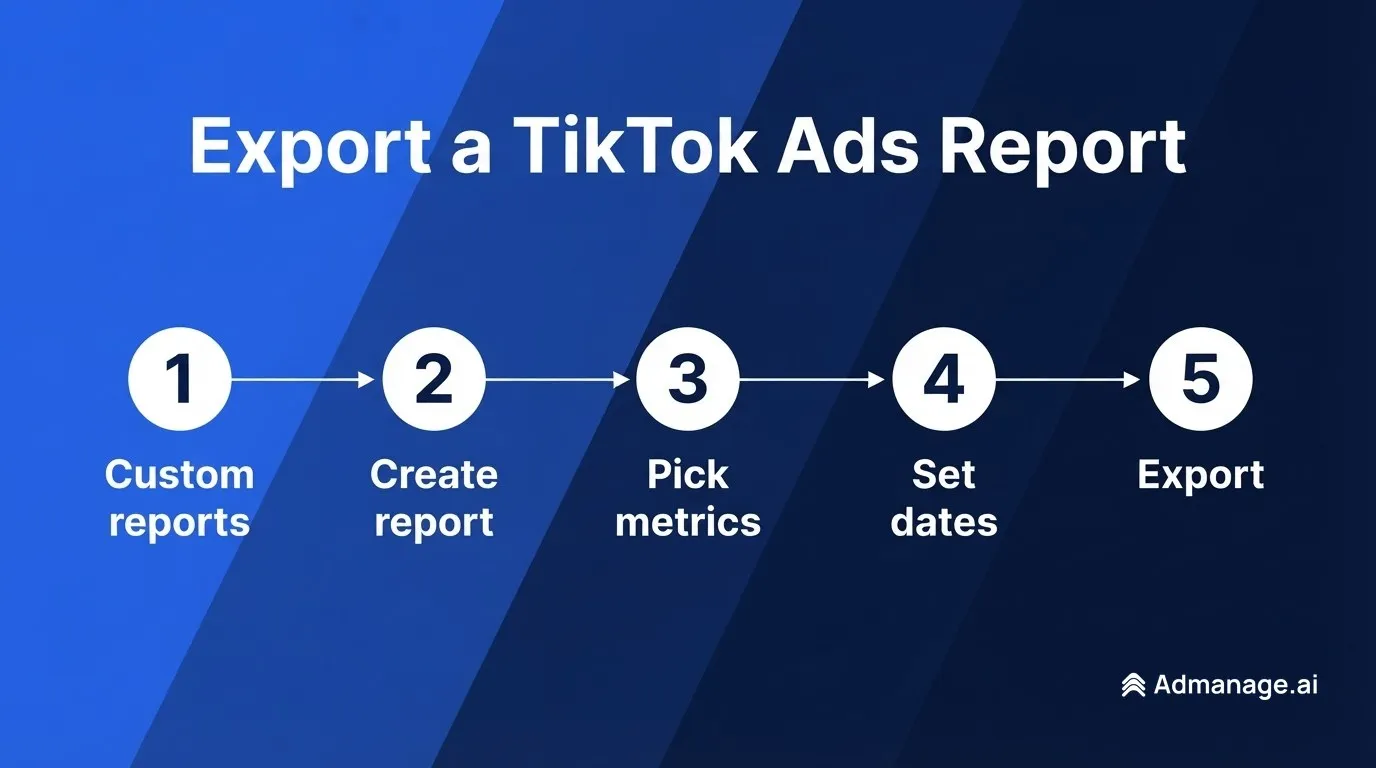
- In TikTok Ads Manager, click Custom reports under the Analytics menu.
- Click Create report for a blank report, or use the dropdown arrow to start from a template.
- Select your Dimensions, which become rows (campaigns, ad groups, ads, placements), and your Metrics, which become columns (CPM, CPC, CTR, CVR).
- Choose a time range: yesterday, the last 7 days, the last 30 days, or a custom date.
- Click Save, name the report, then choose Export to run and download it.
TikTok's help page does not list the file formats. Its API documentation offers CSV and XLSX, and third-party guides from Coupler.io and Coinis report the same two formats for Ads Manager downloads. Choose XLSX if the file is going straight into Excel. Button labels can change, so follow what your account shows.
Users with an analyst, operator or admin role can add several ad accounts to one custom report with the Select accounts control.
Keep long IDs intact in Excel
Campaign, ad group and ad IDs can break when you open a CSV in Excel. Microsoft says Excel keeps 15 significant digits, so in a number with 16 or more digits, every digit past the 15th becomes zero.
TikTok's v1.3 API returns these IDs as strings, and you should treat them the same way in a spreadsheet. Check a few IDs against Ads Manager before you use them as a lookup key. If they have changed, import the column as text rather than opening the CSV directly.
How to schedule TikTok ads exports by email
Scheduled running sends the report automatically, which suits a weekly client or finance report. TikTok's scheduling steps are:
- Open a custom report from the Custom reports page.
- Click Scheduled running at the top right.
- Turn it on, then choose the frequency, recipients and file format.
- Click Save.
Four details from TikTok's documentation are worth checking before you rely on it:
- Recipients: you can add up to 5 email addresses.
- Access: only users with access to TikTok Ads Manager can download the report. If a client has no access, send them the file yourself.
- Timing: data processing typically takes about 5 to 6 hours, and emails should arrive around 5-6 AM in the ad account's time zone.
- Auto-cancel: the schedule is cancelled if no recipient downloads a report for 3 consecutive months.
How to export TikTok ads data with the API
TikTok's API for Business has two reporting modes. Synchronous reports return data in the response almost instantly, while asynchronous reports run as a task that you download when it finishes.
Synchronous reports: quick, with hard limits
Send a GET request to /open_api/v1.3/report/integrated/get/ with your access token, advertiser ID, report type, data level, dimensions and metrics. TikTok's reference sets these limits:
- Ads: data for up to 20,000 ads. Above that, filter by
campaign_ids,adgroup_idsorad_idsin batches, with up to 100 IDs at a time. - Date range: 30 days if your dimensions include
stat_time_day, and 365 days if they do not (for non-Business Center reports). - Page size: 1 to 1,000 rows, with a default of 10. Remember to set it and page through the results.
- Multiple accounts: up to 5 IDs in
advertiser_ids, all belonging to the same TikTok for Business user.
Check the X-Tt-Ads-Throttle response header in your script. TikTok uses it to warn when a request is over a limit, including when an account has more than 20,000 ads. A script that ignores it can load an incomplete report without noticing.
Asynchronous reports: for large accounts
Asynchronous reports do not time out and have no time range limit, but access is allowlist-only, so apply through TikTok's Allowlist Management page first. The flow has three calls:
- Create the task with
/report/task/create/, settingoutput_formattoCSV_STRING,CSV_DOWNLOADorXLSX_DOWNLOAD. - Check progress with
/report/task/check/. - Get the output with
/report/task/download/.
Supported dimension and metric combinations can differ between the two modes, so a request that works synchronously may need changes here.
Why API numbers can differ from Ads Manager
TikTok states that a report downloaded from Ads Manager should be compared with an asynchronous report, not a synchronous one. Neither applies the 20,000-ad truncation, so totals can differ on large accounts.
Freshness matters too. TikTok's data latency guide says real-time data is adjusted the following day, and some data, such as reach and other unique visitor metrics, usually lags by 16 hours. Reach is also an estimate. For a stable warehouse, reload the last few days on each run rather than treating today's numbers as final. Dates and calculations follow the ad account's time zone, which matters when you combine accounts.
How to export TikTok ads to JSON
The synchronous API responds in JSON, so it is the direct route if you need this format. Ads Manager's export and the asynchronous output_format options cover CSV and XLSX, so you would convert those files yourself.
How to export TikTok ads to Tableau
Export the report as a file, then connect to it in Tableau. Tableau's documentation uses a different connector for each format:
- XLSX: use the Excel connector. It does not support pivot tables, so export a flat table rather than a pivoted workbook.
- CSV: use the Text file connector.
For a dashboard that updates by itself, a file you replace by hand will not scale. Load the data into a database that Tableau reads, or use a connector.
How to export TikTok ads to PostgreSQL
Export a CSV, create a table whose columns match the file, and load it with PostgreSQL's COPY command. The table and file names here are examples:
\copy tiktok_ads_daily FROM 'tiktok_ads_report.csv' WITH (FORMAT csv, HEADER true)\copy is the psql version, which reads the file from your own machine. Server-side COPY FROM needs a superuser or a role such as pg_read_server_files. Store IDs as text to keep them intact, and add your own date column if you load repeated snapshots.
How to export TikTok ads to Redshift
Upload the CSV to Amazon S3, then run Redshift's COPY command with the CSV format option and IGNOREHEADER to skip the header row. Replace the placeholder bucket and role:
COPY tiktok_ads_daily
FROM 's3://your-bucket/tiktok_ads_report.csv'
IAM_ROLE 'arn:aws:iam::123456789012:role/your-redshift-role'
CSV
IGNOREHEADER 1;
COPY appends rows, so a reload of the same dates will create duplicates. Delete the overlapping date range first, or load into a staging table and merge.
Should you use a third-party connector?
A connector is worth considering when you want TikTok data in Sheets, a BI tool or a warehouse on a schedule, and nobody wants to maintain API scripts. Coupler.io, for example, says it connects TikTok Ads to spreadsheets, warehouses and BI tools with automatic refreshes.
Before you commit, compare a recent date range against an Ads Manager download. Check spend, the attribution-related metrics you report on, and whether the tool handles Smart+ and GMV Max campaigns. TikTok's API docs point GMV Max reporting to its own endpoint, /gmv_max/report/get/, so ask how the tool retrieves that data.
Frequently asked questions
Can I export TikTok ads to Excel?
Yes. Build a custom report in TikTok Ads Manager and use Export to download it. Third-party guides report that XLSX and CSV are both available, and either one opens in Excel. Check that long IDs have kept all their digits.
Can I export TikTok ads automatically?
Yes. Turn on Scheduled running on a custom report to receive it by email at your chosen frequency. For loading data straight into another system, use the reporting API or a connector.
Why can't my client download the scheduled TikTok report?
TikTok says only users with access to TikTok Ads Manager can download the report. Give your client the appropriate access, or download the file and send it to them.
Why did my scheduled TikTok report stop arriving?
TikTok cancels a schedule automatically if no recipient downloads a report from it for 3 consecutive months. Check the schedule setting and turn it back on if it is off.
Why does my TikTok API report show different numbers from Ads Manager?
The most common cause is comparing a synchronous API report with an Ads Manager download. TikTok says the download should be compared with an asynchronous report. Data latency and account time zones can also cause differences.
How many ads can the TikTok reporting API return?
The synchronous endpoint returns data for up to 20,000 ads. To get beyond that, filter in batches of up to 100 campaign, ad group or ad IDs. Asynchronous reports don't apply this truncation, but they need allowlist access.
Is exporting TikTok ads the same as Bulk Import & Export?
No. Custom report exports give you performance data. Bulk Import & Export is for creating and editing ads in a spreadsheet. See our bulk upload guide for that workflow.
Export once, then act on what the data shows
An export tells you what worked. Once you can see your winners, compare them against TikTok cost benchmarks and CTR ranges by channel, then launch the next round of tests.
AdManage lets teams launch TikTok ads in bulk from a sheet or folder, and its reports cover TikTok accounts and export to CSV, Excel or PDF. See our guide to TikTok ad automation, or start a free trial.

About the author
Cedric Yarish
Co-founder of AdManage.ai